
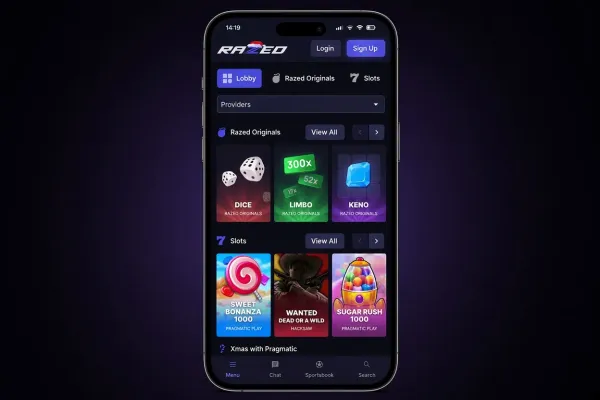
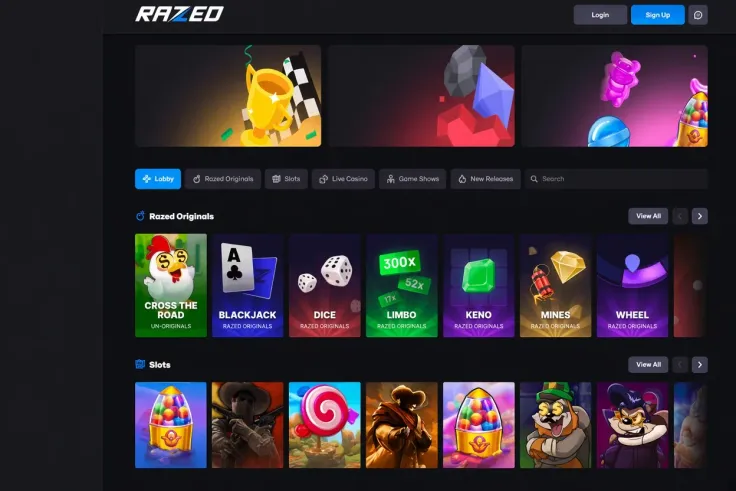
Razed Casino has no iPhone app, so there is nothing to download from the App Store. On an iPhone, you use the mobile site in your browser.
The sections below explain what to expect on an iPhone and how to look after your account and payments on a small screen.
What you get on an iPhone

The mobile site is the only way to use Razed Casino on an iPhone. Razed Casino also has a live casino, and the mobile site is available, so you reach games and your account through Safari or another browser rather than through an app icon.
Compared with a computer, the main difference is the screen. Pages are narrower, you scroll more and buttons sit closer together. Slow down on any step that involves money, such as a payment amount or a confirmation, and read it in full before you tap. A payment cannot always be undone, so wait until the page has fully loaded before you confirm anything, and keep the phone screen unlocked only while you are using the site.
You can sign up or log in from the same browser. The numbered steps above show how to open the site, and the mobile version page covers phones in general.
There is no app to install

Because Razed Casino has no iPhone app, there is no install step. The App Store will not show an app from the casino, and you should treat any link in a message, an advert or a forum post that offers an app or a profile to install with suspicion. Anything that asks you to trust a developer or install something outside the normal store is a risk to your phone and your data.
Open the mobile site yourself instead. Type the address, check the address bar before you enter any details and sign in only when you are sure you are on the right site. If you want a quicker way back, a bookmark in your browser does the job.
Because the site runs in the browser, how it looks and how fast it loads depend on your browser and your connection. If a page does not load properly, try again on a steadier connection before you assume there is a problem with your account.
Practical points on an iPhone

Lock your iPhone with a passcode, Face ID or Touch ID, and do not hand it over while you are signed in. If someone else uses the device, sign out when you finish and close the browser tab.
Use a password you do not use anywhere else. Think before you let the phone save it, especially on a device that others use. Public Wi-Fi is a weaker place for a login or a payment than your own mobile connection.
Mobile data counts. Live games stream video, so they use more data than a menu or a slot, and a weak signal can interrupt a round. Check your data allowance and your connection before you join a live table, and switch to Wi-Fi at home if your mobile plan is limited.
Gambling is entertainment that costs money. Set deposit limits and time-outs if the account offers them, and read the safer gambling page for the tools that exist.