

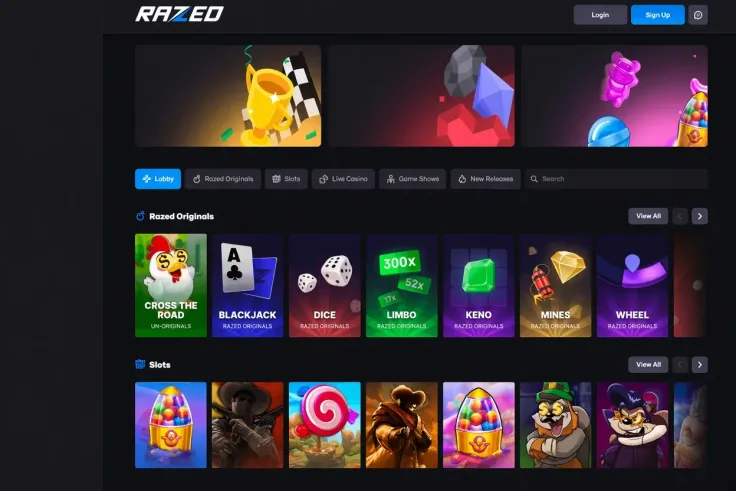
Logging in to Razed Casino takes the email address or username and the password you registered with, entered on the Razed Casino website. The steps above give the order, from opening the site to resetting a forgotten password. This page covers what sits behind those steps and what to do when a login does not work. It has no login form, so nothing typed here goes anywhere.
Before you start, have your registration email or username to hand and, ideally, a password manager that holds your password. The website works on desktop and mobile, and there is no iPhone or Android app, so every login happens in a browser. If you have not registered yet, begin with the sign-up guide, and for phone use see the mobile version page.
What happens behind the login steps

A login is a simple exchange: you give the account identifier and the password, and the site matches them to the account you created. Because of that, the two things that matter most are typing the same details you used at registration and doing it on the right website. If you registered with an email address, use that address, not a nickname you picked later. If you registered with a username, enter the username exactly as you created it, including capital letters and any numbers.
Support is the other part of the login process that is worth knowing about. Razed Casino runs live chat and email support, available 24/7. There is no phone line, so when you cannot get in, chat is the quickest route to a person and email is better for anything that needs a written record, such as a description of an error or a document you want to attach.
Identity verification is also part of having an account. Razed Casino requires it, and the documents are Proof of identity and Proof of address. Verification is separate from logging in, but the two often come up together: it helps to know what the documents are before you are asked for them. A proof of identity shows who you are, and a proof of address links your name to your address. The names on both should match the name on the account, which is one more reason to register with your real details. The verification guide walks through the documents in more detail.
Browser and device choices matter little. Desktop and mobile browsers both reach the same website, and since there is no app, there is nothing to download or update before you can log in. If the page looks odd on a phone, try turning the phone sideways or switching to a different browser before assuming the account is the problem.
If you use more than one device, the same website and the same details apply on each, so a password that works on your laptop should work in your phone browser. When it does not, the cause is nearly always a saved entry that is out of date rather than a problem with the account.
18+ · T&Cs apply
Common login problems and what to do

Forgotten password. Use the password reset option on the login screen, as in the steps above. If you no longer have access to the email address you registered with, contact support instead of repeating the reset. Repeating the same step with the same result rarely helps, while a short message to support explains the situation. Choose a new password that you have not used on this site before, and write it into your password manager straight away.
Details rejected. The usual causes are small: a typing slip, caps lock left on, an old password saved by the browser, or an email address with a different spelling from the one you registered with. Type the details slowly rather than pasting them, and if a password manager fills the fields, check that it holds the current password and not an old entry. If you have more than one email address, think about which one you used when you registered.
You are not sure you have an account. Think about which email address and which device you used when you registered, and try the details you would normally use for new accounts. If you cannot recall registering at all, the sign-up guide shows the steps for a new account, and nothing is lost by starting there.
Documents requested. If Razed Casino asks for documents, they are Proof of identity and Proof of address. Upload clear, complete images in which all four corners and all the text can be read. A rejected upload is usually a blurry photo or a cropped edge, and sending a better copy is the fix. If you are unsure what counts, read the verification guide or ask support first.
Still stuck. Contact Razed Casino support through live chat or email; both are available 24/7. Say what you see, such as the message on the screen and what you tried, and give the email address or username on the account. Never send your password to anyone, support included. Support does not need it to look at an account.
Keeping your account secure

Enter your password only on the Razed Casino website, and check the address in your browser before you type it. Do not follow login links from messages or other sites, and do not enter your details on a page that asks for them in exchange for a prize or a bonus. This site has no login form and will never ask for your password.
Use a password that is long and that you do not use anywhere else, and keep it in a password manager rather than a note on your phone. If another website you use has had a data leak, change your password here too if you reused it. Log out when you use a shared or public device, and do not let a browser save your password on a computer other people can use.
Check the details of your account from time to time and keep the email address you registered with under your own control, because it is the address support will associate with the account. Do not share your login with anyone else, including friends or family, and do not accept an offer from anyone to log in on your behalf.
Keep your documents ready as scans or clear photos on your own device, so a verification request does not catch you out. It is also worth setting a deposit limit in your account if the cashier offers one, so that your spending is decided before you play and not in the moment. The safer gambling page explains the tools in general terms.